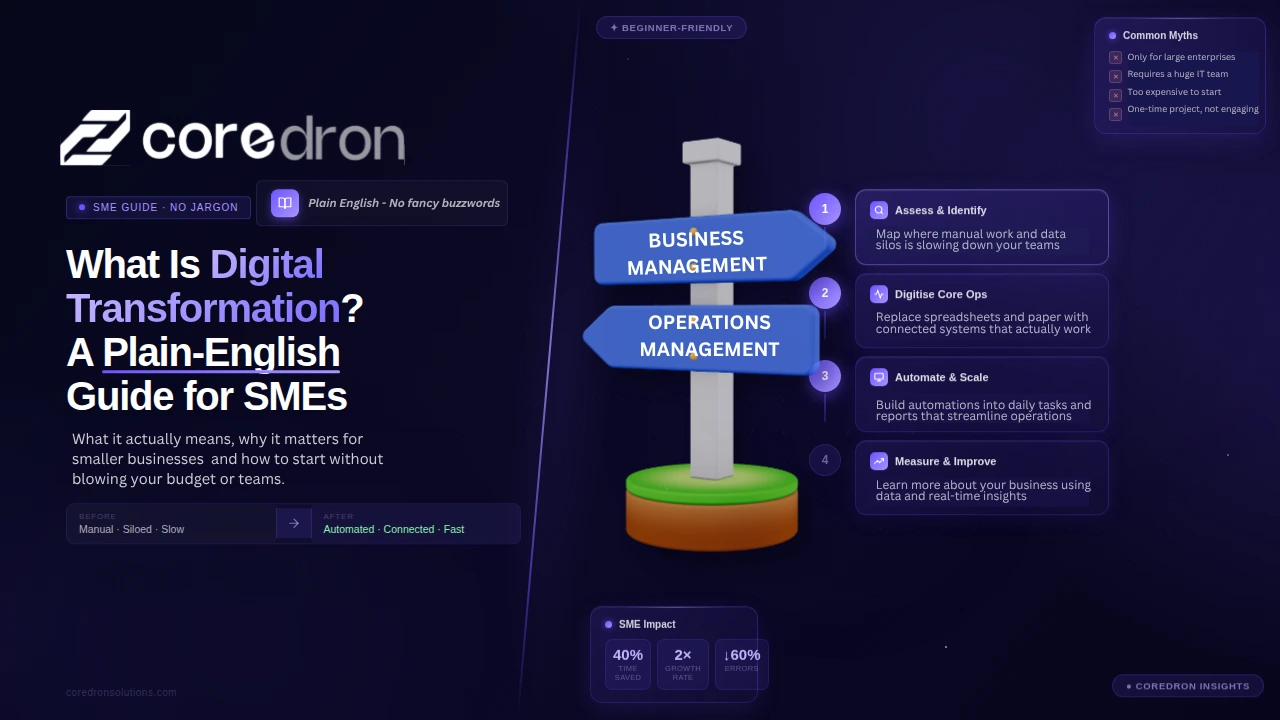
Digital transformation isn’t just a term used by large enterprises anymore.
Spending in this space has been rising steadily. According to Statista and IDC data, global investment in digital transformation is expected to exceed $3 trillion, with a growing share coming from small and mid-sized businesses.
For many SMEs, the shift doesn’t begin with strategy. It starts with everyday problems.
Reports take longer to compile. Data sits in different tools. Teams rely on workarounds just to keep things moving. Nothing is completely broken, but it’s not efficient either.
That’s usually where the conversation begins.
The term “digital transformation” can make it sound like a large, complex change. In practice, it’s often a series of smaller decisions. Moving away from manual processes. Connecting systems. Reducing repetitive work.
This guide breaks it down in plain terms. What digital transformation for small businesses actually means, how it shows up in real operations, and how SMEs can approach it without overcomplicating the process.
What Is Digital Transformation?
Most businesses don’t set out saying, “Let’s do digital transformation.”
It shows up differently. Someone exports data from one tool just to upload it into another. Reports take longer than expected. Teams keep their own versions of the same file.
Work gets done, but it feels heavier than it should. That’s usually where this starts. Digital transformation is basically the shift away from that kind of setup. Fewer manual steps. Systems talking to each other. Information doesn’t get stuck in isolated systems.
It’s not about adding more tools.
If anything, it’s about making the existing work easier to manage:
- Less duplication
- Less back-and-forth
- Fewer points where things slow down.
The change is gradual. One process at a time. Usually, the friction is most visible.
A Simple Example of Digital Transformation in SMEs
Think of a small retail business managing orders manually.
| Before | After |
|---|---|
| Orders tracked in spreadsheets | Orders and inventory are managed through a single system |
| Inventory updated manually | Data updates automatically |
| Customer data is stored in different places | Customer information is centralized |
| Reports created at the end of the week | Reports are available in real time |
Before digital systems, business worked, but it took time. Errors are common, and teams spend more time managing data than using it.
Following the transformation, the change isn’t just technical. It changes how the business operates day to day.
What improves:
- Less time spent on repetitive tasks
- Fewer errors in tracking and reporting
- Faster decisions based on real-time data
- Better visibility across operations
For most SMEs, tech adoption is about improving parts of their workflow. It’s not about a complete overhaul, but a shift from manual effort to more structured, connected systems.
Why Digital Transformation Matters for SMEs
This usually becomes important when the current setup starts slowing things down.
Not in a dramatic way, small things like:
- Tasks take longer than expected
- Teams are doing the same work twice in different tools
- Information is not lining up when it should.
Individually, none of it feels like a big problem; together, it adds up. That’s where digital transformation starts to matter. It removes some of that friction with fewer steps and less manual effort.
Over time, that tends to show up in a few areas.
Key Benefits at a Glance
Cost reduction
Not always about cutting costs directly. More about wasting less time. When fewer mistakes happen and less work gets repeated, the overall effort drops.
Scalability
What works for a smaller setup doesn’t always hold as things grow. Systems help maintain consistency, so the business doesn’t have to keep reworking the same processes.
Automation
A lot of routine work can run on its own once it’s set up properly. Updates, tracking, basic workflows. That frees up time without needing extra people.
Market reach
Without digital systems, growth is often limited by how much can be handled manually. Once things move online or become more connected, it becomes easier to reach beyond the usual boundaries.
For most SMEs, this isn’t a one-time shift. It happens gradually, usually starting where things feel the most inefficient.
What Digital Transformation Actually Looks Like in Practice
In most SMEs, this doesn’t show up as a big shift. It’s usually a few changes in how work gets handled day-to-day.
1. Replacing Spreadsheets
Spreadsheets are fine in the beginning. Then, more people start using them. Multiple versions show up, updates don’t match. Someone is always fixing something.
Shifting to a system just means there’s one place for that data. It gets updated there. No back-and-forth to keep things aligned.
2. Automating Workflows
Many tasks follow the same pattern. Something gets done, then someone has to move it forward. Send a message. Update status. Inform the next person.
When that’s manual, things get missed. With automation, those repeat steps just happen. Not everything, just the parts that don’t need thinking every time.
3. Connecting Systems
Different tools, same data. Teams end up copying it across just to keep things in sync.
When systems are connected, that copying stops. Data moves on its own. Less rework.
4. Using Data Better
Most businesses already have data. The problem is using it without first spending time pulling it together.
When it’s all in one place, it becomes easier to look at. Not perfect, but enough to avoid guessing every time.
Individually, these changes are small. Together, they change how work flows.
A 5-Stage Digital Transformation Roadmap for SMEs
Most SMEs don’t follow a digital transformation roadmap. But when you look back, the journey usually moves in this direction.
Stage 1: Identifying Gaps in Current Processes
This is where things begin. Not with tools, but with friction. It usually shows up in small ways:
- Tasks are taking longer than expected
- Same data handled in multiple places
- Work depends on constant follow-ups
You don’t need a detailed audit here. Just look at where work slows down or keeps repeating. That’s usually enough to spot what needs attention.
Stage 2: Prioritizing What to Fix First
The common mistake is trying to fix everything at once. It feels like the right move, but it rarely works. A better approach:
- Pick one or two areas that affect daily work
- Focus on something that creates visible delays
- Start where the impact is easy to notice
Fixing one problem properly tends to create momentum. Trying to fix everything usually slows things down.
Stage 3: Choosing the Right Tools or Systems
This is where decisions often get complicated. Not every problem needs a custom system. In many cases, a simple tool is enough.
The choice usually comes down to:
- Does the tool match how your team already works?
- Or does your team need to adjust around the tool?
If workarounds start building up, that’s usually a sign the tool isn’t the right fit.
Stage 4: Implementation and Adoption
This stage is less about the system, more about people. Getting something built is one part. Getting it used properly is another.
What usually helps:
- Basic training so teams know how to use it
- Giving it time instead of expecting instant adoption
- Making small adjustments after rollout
There’s always some resistance at the start. That’s normal. Things settle once the system becomes part of daily work.
Stage 5: Scaling and Continuous Improvement
This doesn’t really end. Once things improve, new gaps show up. Different ones this time.
What this stage looks like:
- Adjusting systems based on actual use
- Adding features when needed
- Improving processes as the business grows
It’s not about getting everything perfect. It’s about making things work a little better over time.
Most SMEs don’t move through these stages in a straight line. But this is usually how progress happens.
Industry-Specific Examples of Digital Transformation
Tech modernisation tends to look different depending on the industry. Same idea. Different problems being solved.
Retail
In retail, the shift usually starts around sales and inventory. Earlier, a lot of this is handled manually or across separate tools. Billing happens in one place, stock is tracked somewhere else, and customer details are rarely organized.
What changes over time:
- POS systems handle billing and update inventory at the same time
- Stock levels get tracked automatically instead of manually
- Customer data gets stored and reused for repeat sales or offers
Nothing too complex. But it reduces a lot of daily back-and-forth.
Logistics
Here, the pressure is more on movement and timing. Without systems, tracking shipments or managing routes becomes difficult. A lot depends on calls, updates, and manual coordination.
Digital systems change that:
- Route optimization tools reduce travel time and fuel usage
- Tracking systems show where shipments are in real time
- Warehouse operations get automated, from sorting to dispatch
It doesn’t remove complexity, but it makes it easier to manage.
Agriculture (Agri)
This is where things have started changing more recently. Many farm operations were traditionally manual or experience-based. Now, data is slowly becoming part of the process.
What that looks like:
- Farm management tools track crops, tasks, and schedules
- IoT sensors monitor soil, weather, and field conditions
- Supply chains become more visible, from farm to market
In this situation, adoption remains uneven, but the shift is underway.
Across all three industries, the pattern is similar. Less manual effort, better visibility, and fewer guess-based decisions.
Common Mistakes SMEs Make During Digital Transformation
These don’t look like mistakes at the start. They feel like the right decisions.
- Trying to digitise everything at once:
Business digitisation usually starts as the go-to option. Fix everything, get it done quickly. What actually happens is different. Too many changes at once. Teams are trying to adjust to multiple tools. Things slow down instead of improving.
Most of the time, the businesses that move faster are the ones that start small and fix one thing properly.
- Choosing tools without a clear use case:
A tool gets picked because it looks powerful or popular. Then the question comes later. Where does this actually fit?
That’s when workarounds start. People are using only part of the tool, or going back to old methods, because it’s easier. Without a clear use case, the tool doesn’t really solve anything.
- Ignoring adoption and training:
The system is ready, but people don’t fully switch. Some use it. Some don’t. Some use it differently.
That’s where things break. Not because the system is bad, but because it never becomes the default way of working. Adoption takes time. It rarely happens on its own.
- Overbuilding systems too early:
There’s a tendency to build everything up front. More features, more flexibility, more “just in case.” But a lot of it doesn’t get used immediately. Some parts never do.
Meanwhile, the project takes longer and costs more. Starting simpler usually works better. Then, building on top of what’s actually needed.
Most of these are avoidable. They just don’t look like mistakes when you’re in the middle of them.
How to Get Started Without Overcomplicating It
This is where most SMEs either move forward… or get stuck. Not because it’s difficult, but because it starts feeling bigger than it needs to be.
Start small
You don’t need a full plan covering everything. Most businesses that get this right begin with something basic.
One area that’s clearly inefficient. One process that keeps coming up. That’s usually enough to begin.
Focus on one process
Trying to improve multiple things at the same time spreads effort too thin. Pick one process. Something that affects daily work. Something people already notice.
Fixing that properly tends to create clarity for what comes next.
Test before scaling
Not everything works the first time perfectly. It’s better to test on a smaller scale. See how the system fits.
What needs adjustment? What doesn’t work as expected? Once that’s clear, scaling becomes easier.
Keep it practical
It’s easy to get pulled into features, tools, or ideas that sound useful. But the focus should stay simple.
When integrating digital tools for SME, remember to ask yourself these questions:
- Does it make the work easier?
- Does it remove steps?
If not, it’s probably not needed right now.
Future Trends in Digital Transformation
This space keeps shifting. Not all trends matter immediately, but some are already showing up in day-to-day operations.
AI and automation:
More routine work is getting handled without manual input. Not just large systems. Even smaller tools now include basic automation or AI features that reduce repetitive effort.
No-code / low-code platforms:
Building systems no longer always requires full development. These platforms allow businesses to create simple workflows or tools without heavy technical work. Useful, especially in early stages.
Data-driven personalization:
Businesses are starting to use data more actively. Not just collecting it, but using it to tailor communication, offers, or experiences based on customer behavior.
Cybersecurity importance:
As more operations move online, risks increase. Security is no longer just a technical concern. It becomes part of everyday operations, especially when handling customer or business data.
None of these trends requires immediate action. But they tend to shape how systems evolve over time.
Conclusion
Digital transformation doesn’t require a complete overhaul. It starts with identifying where work slows down and improving it step by step.
The goal is not to adopt more tools, but to make existing processes more efficient and scalable.
Tools change; what matters is whether the work itself becomes simpler. That’s the outcome most businesses are actually looking for.
There’s no need to overthink it. Starting small usually works better than trying to get everything right from the beginning.