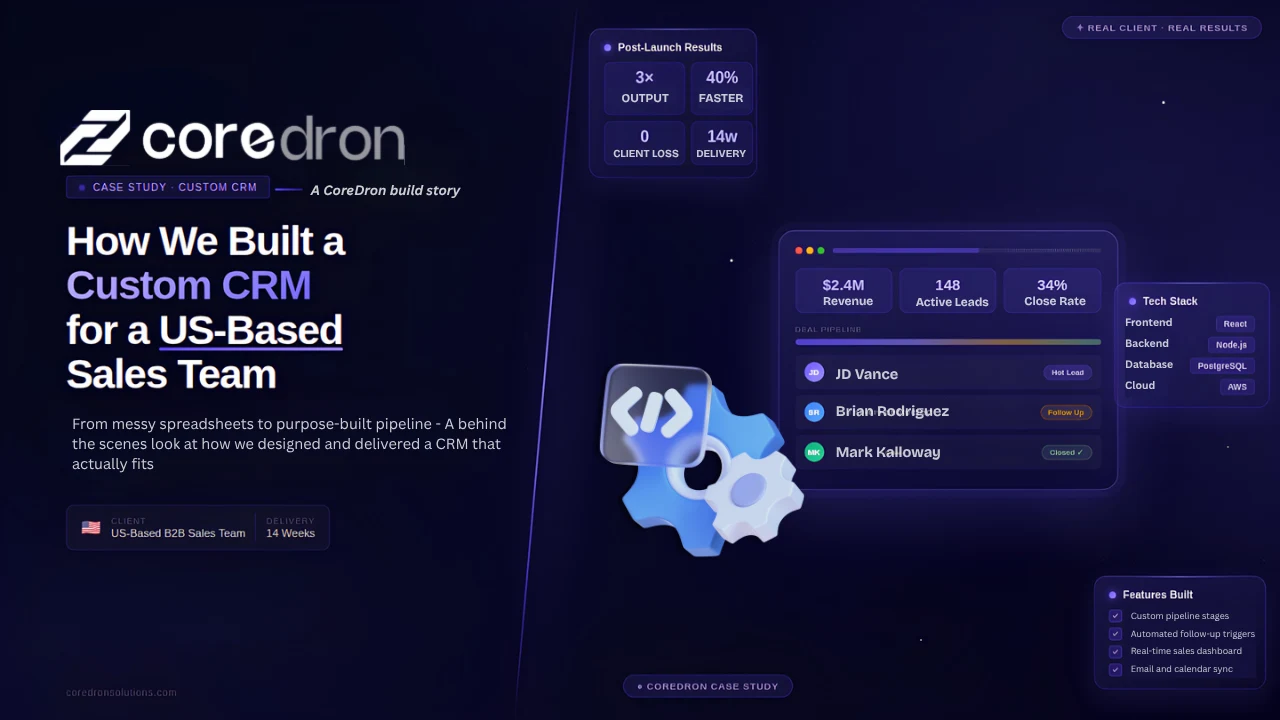
As the sales team scaled, their existing system became a bottleneck slowing down processes, reducing visibility, and impacting conversions.
What started as a workable setup: spreadsheets, basic tools, and manual tracking, became difficult to manage as the volume increased. Leads were harder to track, follow-ups were inconsistent, and visibility across the pipeline was limited.
The team had already tried using standard CRM tools, but they didn’t fully align with their sales process. Important steps were either missing or required workarounds, further slowing things down.
At that point, the requirement was clear. They didn’t just need another tool; they needed a system built around their workflow.
This project highlights how a structured custom CRM development approach can transform sales operations for growing teams. The following sections take a closer look at CRM design development, the approach taken, and what changed after implementation.
What is a custom CRM?
A custom CRM is a customer relationship management system built specifically around a company’s sales process, workflows, and data requirements. Unlike standard CRM tools, it adapts to how teams operate rather than forcing predefined structures.
The Challenge: Why the Existing System Was Not Working
The existing setup worked in the early stages. As the sales team grew, it started to show clear gaps.
Fragmented Tools and Data
The team was using multiple tools to manage leads, follow-ups, and reporting. None of them was fully connected.
Information was spread across spreadsheets, emails, and different platforms. This made it difficult to get a clear view of the sales pipeline at any given time.
Manual Processes Slowing Down Sales
A significant part of the workflow depended on manual updates. Sales reps had to enter data, track follow-ups, and update statuses themselves.
This took time and increased the chances of missed or delayed actions. Over time, these small inefficiencies began to affect overall productivity.
Lack of Real-Time Visibility
There was no reliable way to track progress across the pipeline in real time.
Managers had limited visibility into deal status, team performance, or bottlenecks. Reports had to be compiled manually, which meant they were often outdated by the time they were reviewed.
Difficulty Scaling the Process
The system was not designed to support a growing team.
As more leads and sales activities were added, the process became harder to manage. What worked for a smaller team became inconsistent and difficult to maintain at scale.
These challenges made it clear that improving the existing setup would not be enough. The team needed a system that could align with their workflow and support their growth.
Our Approach: Designing a CRM Around Their Workflow
The starting point was not the technology. It was the sales process.
Instead of trying to fit the team into a standard CRM structure, the focus was on understanding how they already worked. This included how leads were captured, how follow-ups were managed, and how deals moved through each stage.
Mapping the Existing Workflow
The first step was to break down the current process in detail.
This involved:
- Tracking how leads entered the system
- Understanding how sales reps handled follow-ups
- Identifying where delays or drop-offs occurred
Some steps were working well. Others required manual effort or depended too much on individual tracking.
Identifying Gaps and Friction Points
Once the workflow was mapped, the gaps became clearer.
These included:
- Repetitive manual tasks
- Lack of centralized data
- Inconsistent tracking of deal stages
The goal was not to change the process completely, but to remove friction and improve visibility.
Defining a Practical CRM Structure
Based on these insights, the customer management software was structured around how the team actually operated.
Key modules included:
- Lead management
- Pipeline tracking
- Activity tracking
- Reporting dashboards
Each part was designed to support existing workflows rather than replace them.
Keeping the Solution Focused
Instead of building everything at once, the focus was on essential functionality.
This ensured that the CRM remained easy to use and could be adopted quickly by the sales team.
Additional features were planned for later stages, based on real usage.
This approach helped create a system that felt familiar to the team while addressing the limitations of their previous setup.
Our Solution and Development Process
Once the approach was defined, the focus moved to building a CRM that could support the team’s day-to-day workflow without adding complexity.
The process was structured, but flexible enough to adjust based on feedback during development.
Discovery and Requirement Mapping
The project started with detailed discussions with stakeholders and sales representatives. The goal was to translate the mapped workflow into clear requirements. This included defining:
- Lead stages
- User roles and permissions
- Reporting needs
This step helped avoid assumptions and ensured alignment before development began.
CRM Architecture and Planning
Based on the requirements, the system architecture was defined. The CRM software development was divided into core modules such as:
- Lead and contact management
- Pipeline tracking
- Activity logging
- Reporting and analytics
The focus was on keeping the structure simple while allowing room for future expansion.
UI and UX Design Focused on Usability
The design was kept straightforward to match how the sales team worked.
Dashboards were designed for quick access to key information. Common actions, such as updating deal status or adding notes, were made easy to perform in a few steps.
The goal was to reduce effort, not add more layers to the process.
Development and Integration
Development was carried out in phases, starting with core features. The system was also integrated with existing tools where needed, so the team could continue using familiar platforms without disruption.
This helped reduce the learning curve and ensured smoother adoption.
Testing, Feedback, and Iteration
The CRM was tested with real users before full rollout.
Feedback from the sales team was used to refine features, adjust workflows, and improve usability. This iterative approach helped address issues early and align the system more closely with actual usage.
The process was not just about building a tool. It was about making sure the system worked in practice, not just in design.
Tech Stack Used
The tech stack was selected based on stability, scalability, and ease of integration with the client’s existing tools.
The goal was not to use the latest technologies for their own sake, but to choose a setup that could support long-term use without adding unnecessary complexity.
Here’s a detailed insight into what was used:
| Aspect of the System | Tech Used |
|---|---|
| Frontend | The frontend was built using React. It enabled a responsive interface and made it easier to create dynamic dashboards and deliver real-time updates.
The component-based structure also helped maintain consistency across different parts of the CRM. |
| Backend | The backend was developed using Node.js. This made it suitable for handling multiple requests efficiently and supporting real-time data updates. It also worked well with API integrations required for the project. |
| Database | The system used PostgreSQL for data management. It provided a reliable structure for handling large datasets, especially for tracking leads, activities, and reporting data over time. |
Integrations Used
The CRM was integrated with the sales team’s existing tools.
This included:
- Email systems for communication tracking
- Third-party APIs for data exchange
- Internal tools were necessary
These integrations ensured that the team could continue using familiar workflows while benefiting from a centralized system.
Why This Stack Worked?
The combination of these technologies allowed the CRM to remain:
- Scalable as the team grows
- Flexible for future feature additions
- Stable for day-to-day usage
The focus remained on reliability and usability rather than complexity.
Results: What Changed After Implementation
The impact of the CRM became visible within the first few weeks of adoption. The system replaced manual tracking with a structured workflow, which made it easier for both sales representatives and managers to stay aligned.
Here’s a closer look at the results of the sales CRM app development:
1. Improved Sales Efficiency
Routine tasks such as updating deal stages and tracking follow-ups became faster.
This reduced manual effort by around 40%, allowing the team to focus more on actual sales activities rather than administrative work.
2. Better Visibility Across the Pipeline
The team gained real-time access to deal status, progress, and bottlenecks.
Managers no longer had to rely on manually compiled reports. This improved decision-making and made it easier to identify where deals were getting delayed.
3. Faster Response and Follow-Ups
With automated reminders and centralized data, follow-ups became more consistent.
Response times improved by approximately 30%, directly impacting lead engagement.
4. Increase in Conversion Rates
With better tracking and more timely follow-ups, the team was able to close deals more effectively.
Conversion rates improved by around 20%, mainly due to improved consistency in the sales process.
5. Reduced Operational Friction
The CRM simplified workflows and removed dependencies on multiple tools.
This made onboarding easier for new team members and reduced the likelihood of errors from manual tracking.
The results were not driven by adding more features. They came from aligning the system with how the team actually worked.
What Made This Project Successful
The results were not driven by technology alone. They came from how the system was designed and implemented around the team’s actual workflow.
A few decisions made a clear difference.
Built Around the Existing Process
The CRM was designed to match how the sales team already worked. Instead of forcing a new structure, the system adapted to existing habits and workflows. This reduced resistance, making adoption faster.
Focus on Core Features First
The initial version included only the features the team needed on a daily basis. This kept the system simple and easy to use. Additional features were introduced later, based on real usage and feedback.
Continuous Feedback from the Team
The sales team was involved throughout the development process. Regular feedback helped identify issues early and refine features before full rollout. This ensured the system remained aligned with actual usage.
Emphasis on Usability
Ease of use was treated as a priority. Common actions were simplified, and the interface was designed to reduce effort. This made it easier for the team to adopt the system without additional training.
Clear Alignment Between Teams
There was consistent communication between stakeholders and the development team. This helped avoid misunderstandings and ensured that decisions were based on shared understanding rather than assumptions.
The success of the project came from a combination of clarity, simplicity, and continuous alignment. The system worked because it was built to support the team, not the other way around.
Key Takeaways for Businesses Considering a Custom CRM
A custom CRM is not always the first step, but it becomes relevant when standard tools no longer support how the team actually works.
The decision usually comes down to how complex the sales process is and how much flexibility is needed.
A few practical takeaways:
- A custom CRM makes sense when workflows are specific and cannot be managed efficiently with off-the-shelf tools
- Starting with core features helps keep the system usable and easier to adopt
- Involving end users early improves alignment and reduces rework
- Scalability should be considered from the beginning, even if the initial scope is limited
In most cases, the goal is not to replace tools but to bring structure to how the team operates.
Conclusion
Building a custom CRM for this sales team was not about adding more features. It was about removing friction and improving how work was already being done.
By aligning the system with the team’s workflow, the CRM became easier to use and more effective in practice.
The improvements in efficiency, visibility, and conversion were a result of that alignment, not just the technology behind it.
For businesses facing similar challenges, the key is to identify whether existing tools are supporting growth or limiting it. That answer usually points to the right next step.