Language Technology · Custom Mobile Keyboard
Maoclav
A Keyboard Built for the Languages of Mayotte.
Maoclav is a custom mobile keyboard for Shimaore and Kibushi — the two regional languages of Mayotte. On stock iOS and Android keyboards, the characters these languages actually use aren’t there, so speakers end up substituting Latin lookalikes or switching to French mid-sentence.
Maoclav puts those characters where they belong, adds word suggestions tuned to the local vocabulary, and walks first-time users through the third-party keyboard setup with a short in-app guide.
- Product
- Custom Mobile Keyboard
- Platforms
- iOS · Android
- Language Focus
- Shimaore · Kibushi
- Status
- Live in stores
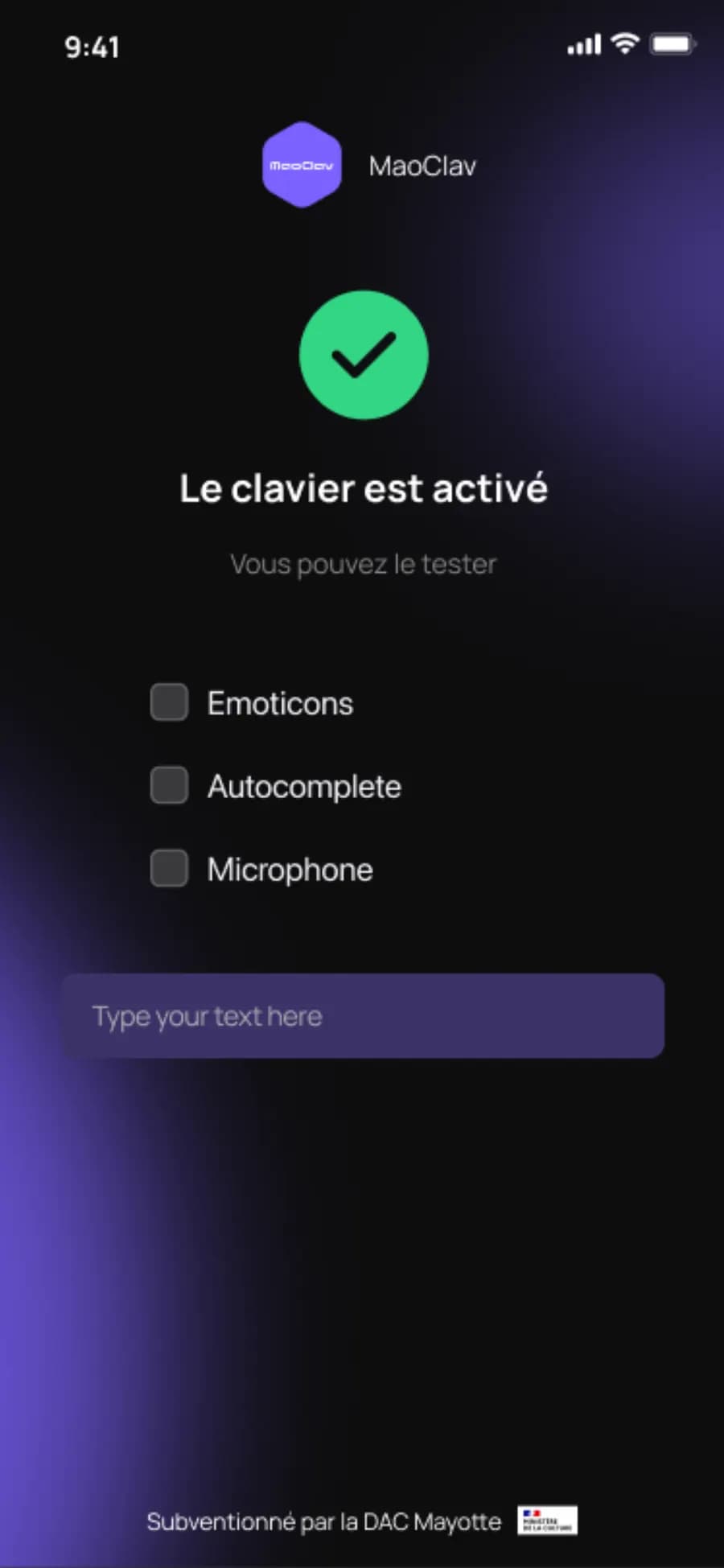
Project Overview
Built for how Mayotte actually types.
Shimaore and Kibushi are spoken every day across Mayotte, but neither one is a first-class citizen on iOS or Android’s default keyboards. The characters they need aren’t on the layout. Autocorrect fights the vocabulary. So people switch to French mid-sentence, or type Latin lookalikes and lose fidelity along the way.
Maoclav puts the right characters where they belong, adds word suggestions tuned to the local vocabulary, and gives first-time users a short in-app walkthrough for the third-party keyboard permission flow — so the app actually gets past install.
Project Snapshot
Small utility, specific purpose.
- Industry
- Language Technology
- Product
- Custom Mobile Keyboard
- Language Focus
- Shimaore · Kibushi
- Platforms
- iOS · Android
- Services
- Native Mobile · Keyboard Extension
- Core Experience
- Type · Suggest · Setup Guide
The Challenge
What happens when your language isn’t built into the keyboard?
Shimaore and Kibushi are spoken every day in Mayotte, but neither one is a first-class citizen on iOS or Android’s default keyboards. That gap shows up in three places.
The right characters aren’t easy to reach.
Shimaore and Kibushi use characters like ɓ / Ɓ and ɗ / Ɗ that don’t sit on the default iOS or Android layout. Speakers work around it with Latin lookalikes, and the language loses fidelity every time they do.
Predictive typing needs the right vocabulary.
Standard keyboards don’t recognise regional words, so autocorrect ends up fighting the language instead of helping it. A useful suggestion strip has to know what people actually say.
Setup has to be simple.
Adding a third-party keyboard on iOS or Android is a multi-step permission flow. If the first-time experience is confusing, the app never gets past install.
Our Solution
Keep the keyboard familiar. Change what matters.
Maoclav keeps the parts of typing that already work — the QWERTY-style base layout, the muscle memory, the messaging flow — and changes only the parts that fail Shimaore and Kibushi speakers. The characters land on the primary layout. The suggestion strip surfaces the right words. And the setup guide holds a first-time user’s hand through the OS permissions.
Key Capabilities
Five things Maoclav lets people do.
Language-specific characters
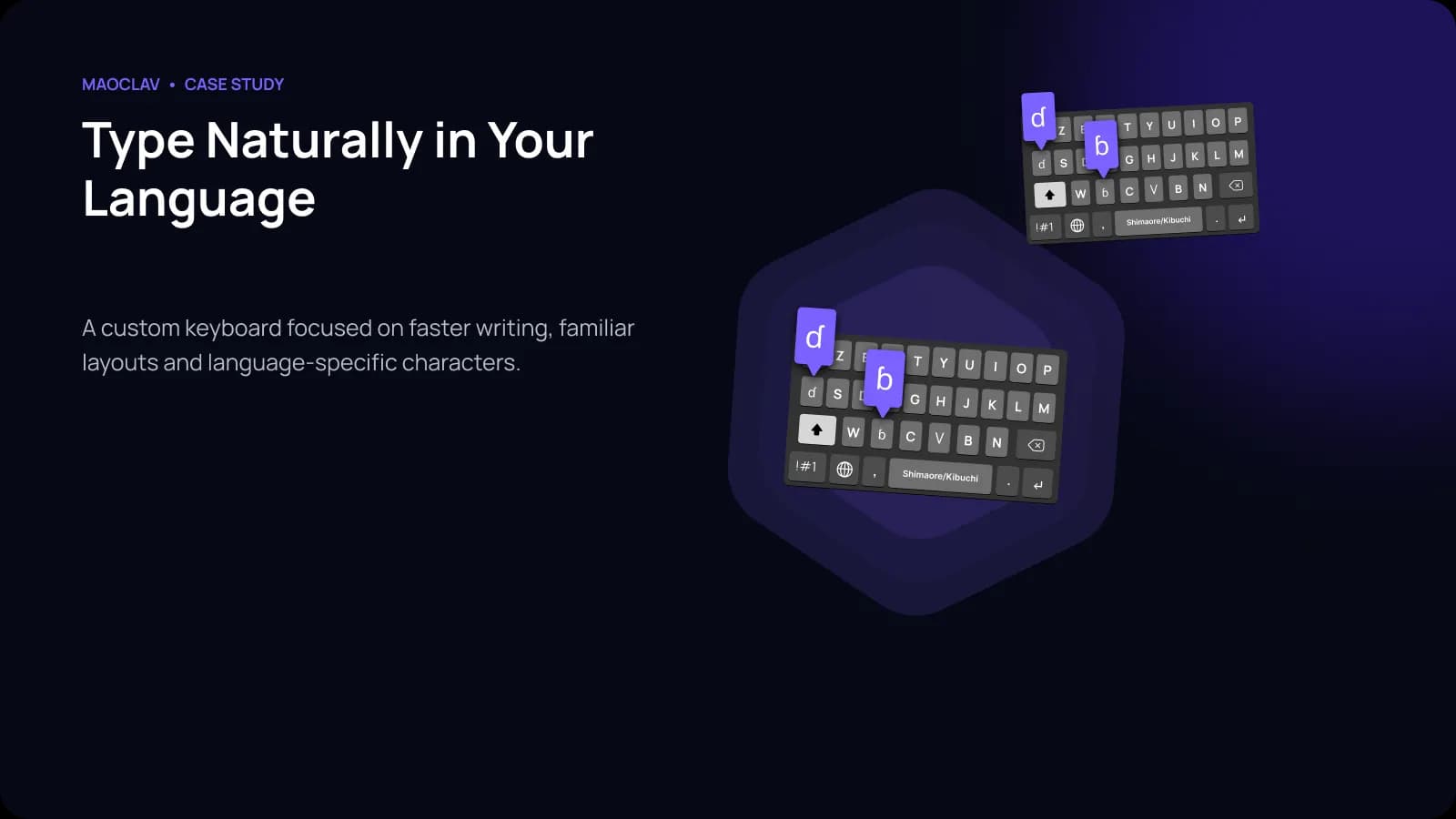
Characters the languages actually use — for example ɓ / Ɓ and ɗ / Ɗ — sit directly on the primary layout, so speakers don’t hunt through long-press menus or substitute Latin lookalikes.
Word suggestions
A suggestion strip surfaces words drawn from the local vocabulary, so typing on Maoclav lands closer to how Shimaore and Kibushi are actually written.
Guided keyboard setup
A short in-app walkthrough covers the OS permission steps, the activation toggle and the switch to Maoclav from any messaging surface.
Familiar keyboard layout
Everything speakers already know about typing on a phone still works. The QWERTY-style base, spacing and gestures stay the same — Maoclav changes only what needs to change.
Additional typing tools
Emoji access, autocorrect and a voice-input mic are included so Maoclav can act as a full-time keyboard, not a specialty one that gets swapped in only for a few words.
How Maoclav Works
From install to typing in Shimaore or Kibushi.
Six short steps — from downloading the app, through the OS permission flow, to typing a message with the right characters and suggestions in place.
A Maoclav setup, end to end
Language & Cultural Context
Typing a language helps keep it present.
Shimaore is a Bantu language local to Mayotte. Kibushi is a Malagasy-related language spoken alongside it. Both are used every day in conversation, but neither one has been comfortable to type on a phone — and phones are where most people write now, from a text to a family member to a caption on a post.
Maoclav isn’t trying to be a linguistics platform. It just gives Shimaore and Kibushi speakers a keyboard that doesn’t make them work around their own language. When the tool matches the language, the language shows up more often in the everyday places people already write.
Product Experience
From setup to everyday typing.
The Maoclav app carries a first-time user from install through the OS permission flow, and then gets out of the way so the keyboard itself can do the work — inside iMessage, WhatsApp, Notes or anywhere else someone types.
Get Started · Setup
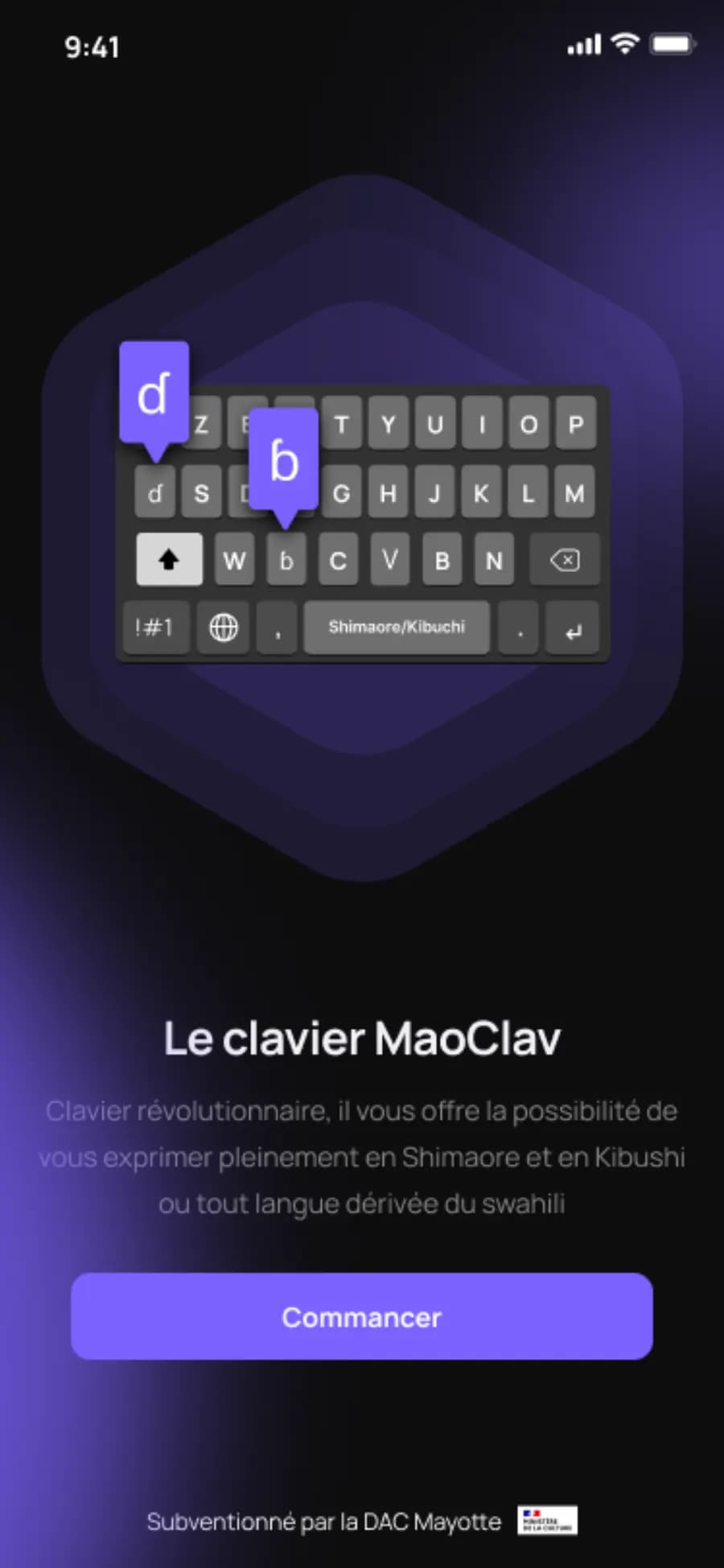
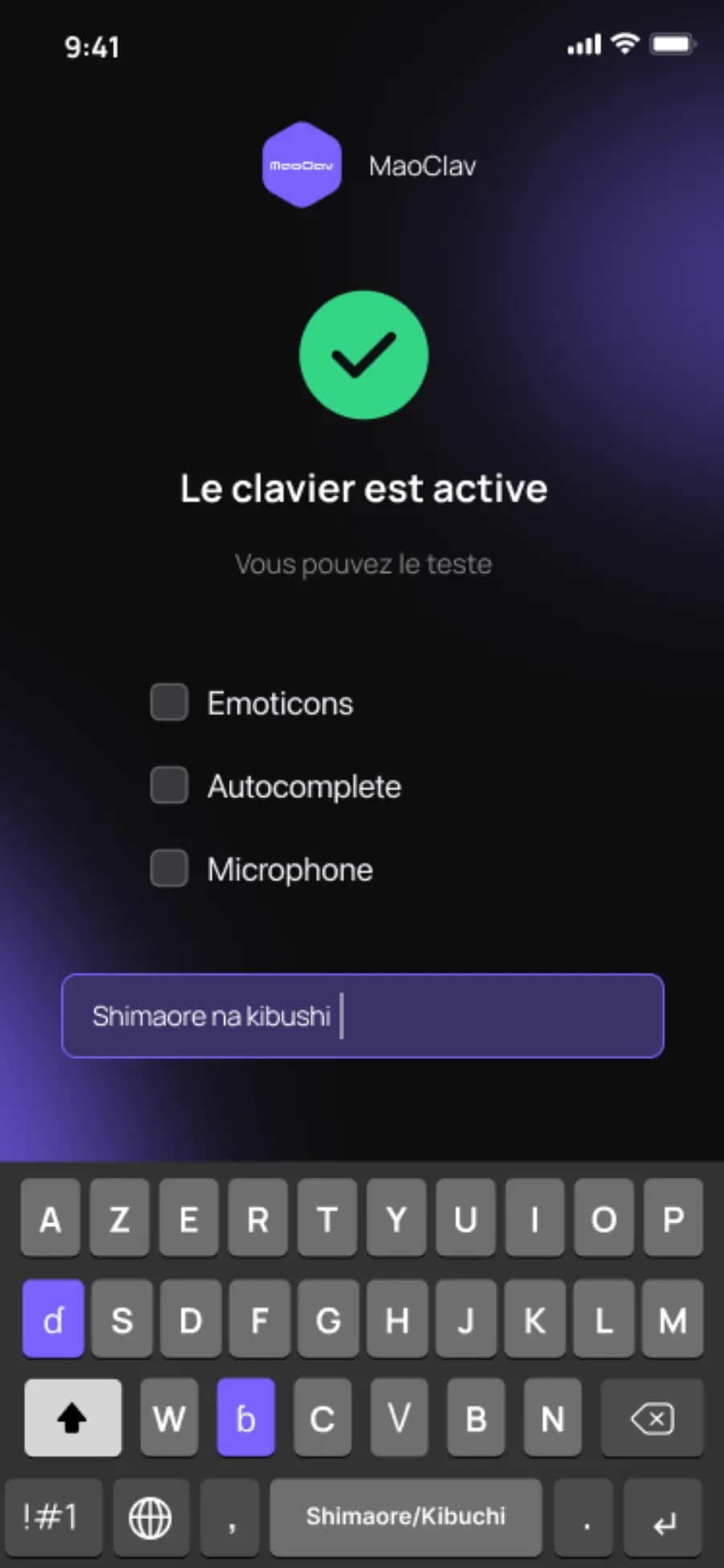
From first launch through the OS permission flow — the four screens a new Maoclav user actually sees.
Splash
Brand-first entry, floating character motif.
Onboarding
Explains the keyboard before asking for permissions.
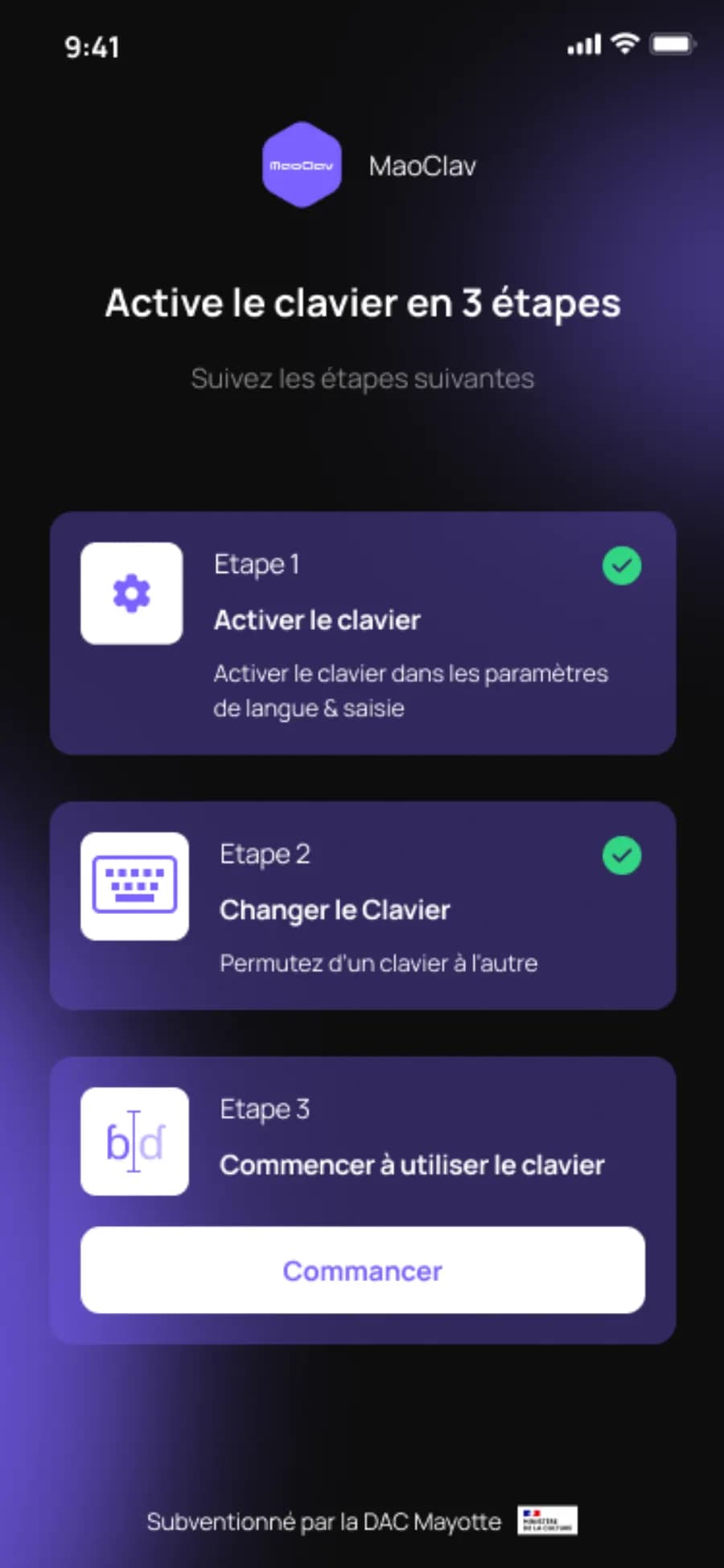
Guided setup
The activation flow at a glance.
Feature toggles
Emoji, autocorrect and mic are opt-in per user.
Type
Live inside any messaging surface.
Once Maoclav is enabled, it works the way any keyboard on the phone does — inside iMessage, WhatsApp, Notes, email, browsers. The language-specific characters sit on the layout, and the suggestion strip surfaces the right words as someone types.
- Characters on the primary layout, not hidden behind long-press.
- Word suggestions drawn from the local vocabulary.
- Emoji, autocorrect and voice input available when needed.
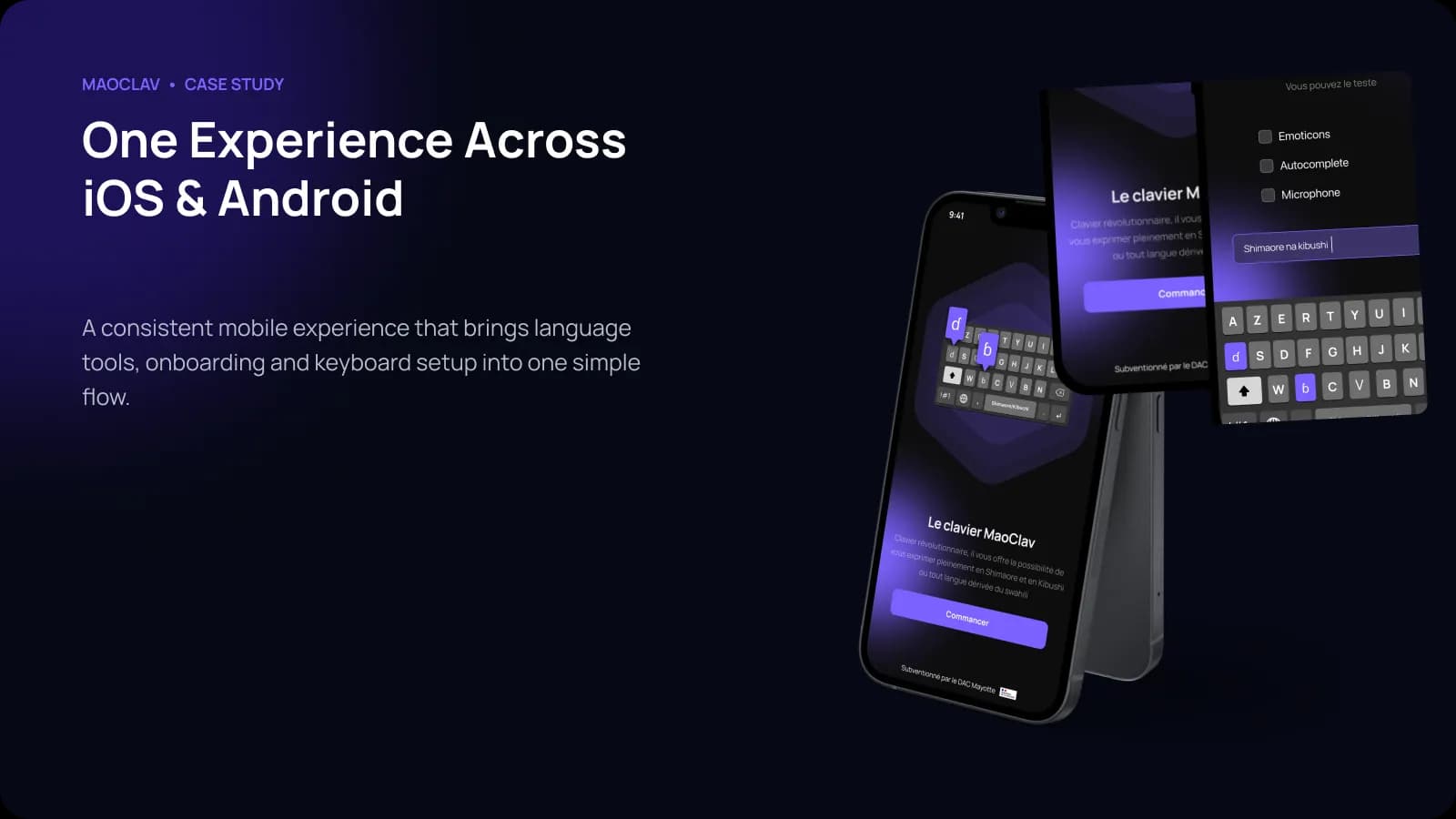
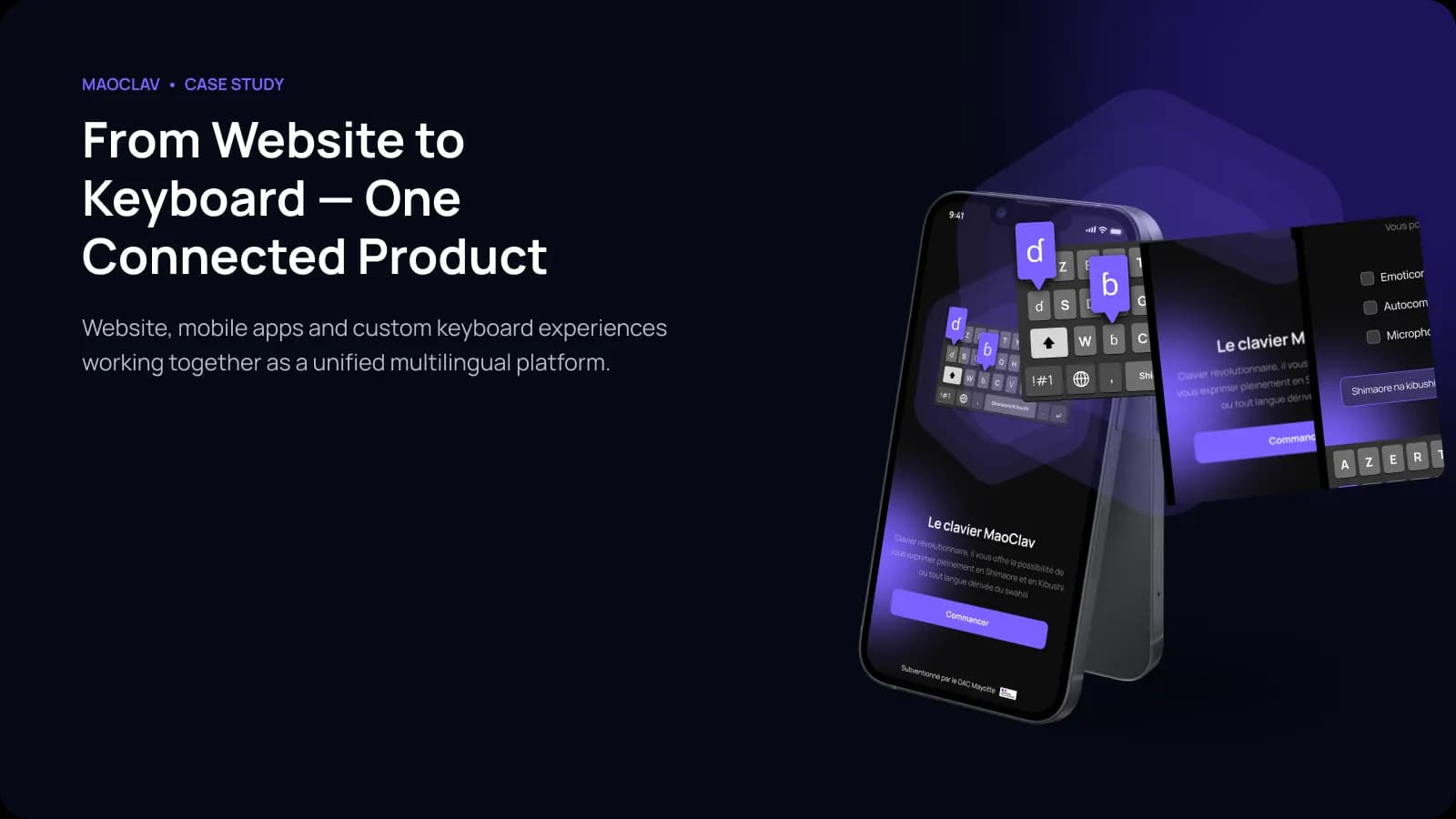
Platforms
Shipped as native iOS & Android apps.
A phone keyboard has to live inside the OS keyboard extension system on each platform. That’s why Maoclav is shipped as dedicated iOS and Android apps — each store listing is linked below.
iOS
- Available on the App Store
- Custom keyboard extension integrated with iOS keyboard settings
Android
- Available on Google Play
- Custom keyboard integrated with Android input-method settings
Not published without source verification: Specific frameworks used inside the iOS and Android builds are not listed here without confirmation against the repositories.
Challenges & Solutions
What we ran into, and how we handled it.
Accessing language-specific characters
Characters like ɓ / Ɓ and ɗ / Ɗ aren’t on the default iOS or Android layout, and long-press substitutes were leaving speakers with Latin lookalikes instead of the actual character.
The keyboard layout puts those characters on the primary surface rather than hiding them behind a long-press menu, so typing the language is a single key rather than a workaround.
Helping users activate a custom keyboard
Adding a third-party keyboard on either OS is a multi-step permission flow, and a confusing first-run experience is usually where custom keyboards get uninstalled.
A short in-app walkthrough covers the OS permission steps, the activation toggle and the switch to Maoclav from any messaging surface — with a success state that confirms the keyboard is live.
Making suggestions actually relevant
Predictive strips on stock keyboards don’t recognise Shimaore or Kibushi vocabulary, so they end up fighting the language instead of supporting it.
The suggestion strip is fed from a vocabulary tuned to the local languages, so words that Shimaore and Kibushi speakers actually use surface as they type.
Product Outcome
A small utility with a very specific purpose.
Maoclav isn’t trying to be a linguistics platform or a cultural project. It’s a phone keyboard. What it does is fix the specific things that were making Shimaore and Kibushi uncomfortable to type on a modern smartphone — the missing characters, the unhelpful suggestions, the awkward third-party keyboard setup.
For a Shimaore or Kibushi speaker on iOS or Android today, that’s enough for the language to show up more often in the places people actually write — texts, notes, captions, comments — which is what the product was built for.
Client Voice
What the client said.
“Jigar is skilled mobile developer, understanding, communicative and cooperative. We will hire him again for sure, thank you.”
Upwork Client
Jun 19, 2023 – Nov 16, 2023
Maoclav Case Study FAQs
Quick answers about the Maoclav project.
What is Maoclav?
Maoclav is a custom mobile keyboard for Shimaore and Kibushi, the two regional languages of Mayotte. It ships language-specific characters like ɓ and ɗ directly on the primary layout, offers word suggestions tuned to the local vocabulary, and includes a short in-app guide that walks first-time users through activating a third-party keyboard on their device.
Which languages does Maoclav support?
Maoclav supports Shimaore and Kibushi, the two regional languages spoken in Mayotte. Shimaore is a Bantu language local to Mayotte; Kibushi is a Malagasy-related language spoken alongside it. Both use characters that don't appear on the default iOS or Android keyboard, and Maoclav puts those characters where they belong.
What did CoreDron work on for Maoclav?
The Maoclav app existed before CoreDron's engagement. CoreDron helped evolve the existing keyboard product during a Jun 19 – Nov 16, 2023 engagement — improvements to the layout, characters, word suggestions and the in-app setup guide. Public releases outside that window are not attributed to CoreDron.
How does the custom keyboard work?
Maoclav keeps the parts of typing that already work — the QWERTY-style base layout, muscle memory, the messaging flow — and changes only the parts that fail Shimaore and Kibushi speakers. The characters those languages need (ɓ, ɗ and others) sit directly on the primary layout, so users don't have to hunt through long-press menus or substitute Latin lookalikes.
What typing features does Maoclav include?
The layout carries the specific characters Shimaore and Kibushi need, with a word-suggestion strip tuned to the local vocabulary. A short in-app guide walks first-time users through activating a third-party keyboard on their device. Additional features (voice input, autocomplete, emoji) are surfaced where the installed version supports them.
Is Maoclav available on iOS and Android?
Yes. Maoclav is available on iOS via the App Store and on Android via Google Play. The same keyboard experience — layout, characters and word suggestions — is delivered across both platforms so speakers get a consistent typing experience regardless of the device they use. The exact mobile framework is not published in this case study without source-code verification.
Building a Custom Keyboard or Language App?
Building a custom keyboard or language app?
We’ve helped teams ship focused mobile products — from custom keyboards to native iOS and Android apps — that solve one specific problem well, without trying to be everything to everyone.
More Case Studies